Update data
Objective
Once a document is approved, the state change must be synchronized across the backend, database, and visible application screens. This section explains why data update is important in a moderated workflow like CloudDoc.
Update Steps
Step 1: Change the document state from pending to approved in the database.
Step 2: Reflect the updated state in the admin dashboard so moderators can see the changes.
Step 3: Reflect the updated state in the search page. The frontend must fetch the fresh data to keep the system consistent for users.
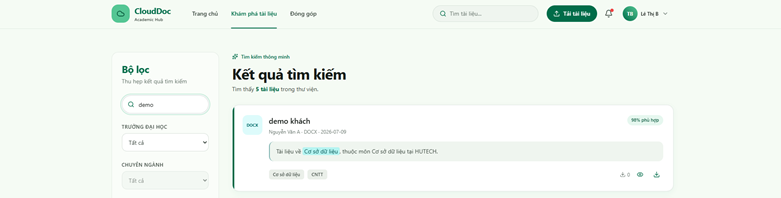
Step 4: Allow preview and download options for the approved document in the user interface.